Lead Magnets That Work: Freebies That Turn Seniors Into Appointments

-
Last Updated October 25, 2026
Generating high-quality Medicare leads can feel like trying to catch butterflies with a fishing net. Many agents spend thousands on purchased leads that never convert or rely on direct marketing tactics that seniors quickly ignore. The secret to building a steady stream of appointments is simpler than most think. It is called a lead magnet.
Lead magnets are free resources offered to prospects in exchange for their contact information. The key to a successful lead magnet is that it solves a problem or answers a question your audience cares about. For seniors exploring Medicare options, this means education and clarity.
Many traditional lead magnets fail because they feel like a sales pitch. Seniors are wary of anything that looks like a sales tactic, especially when it involves insurance. To succeed, lead magnets must be trusted resources that provide real value while gently guiding prospects toward an appointment.
What Makes a Lead Magnet Effective for Seniors
-
Clarity and Simplicity: Seniors appreciate resources that are easy to understand. A simple PDF guide or checklist with large fonts and clear explanations will outperform flashy materials that confuse or overwhelm.
-
Relevance: Your lead magnet should answer a pressing question or solve a problem. For example, "Medicare Made Simple: A Beginner’s Guide" helps new beneficiaries understand their options without feeling pressured.
-
Accessibility: Materials should be easy to download or print. Seniors often prefer tangible resources they can reference later, so consider guides that work both digitally and physically.
Examples of Lead Magnets That Work
-
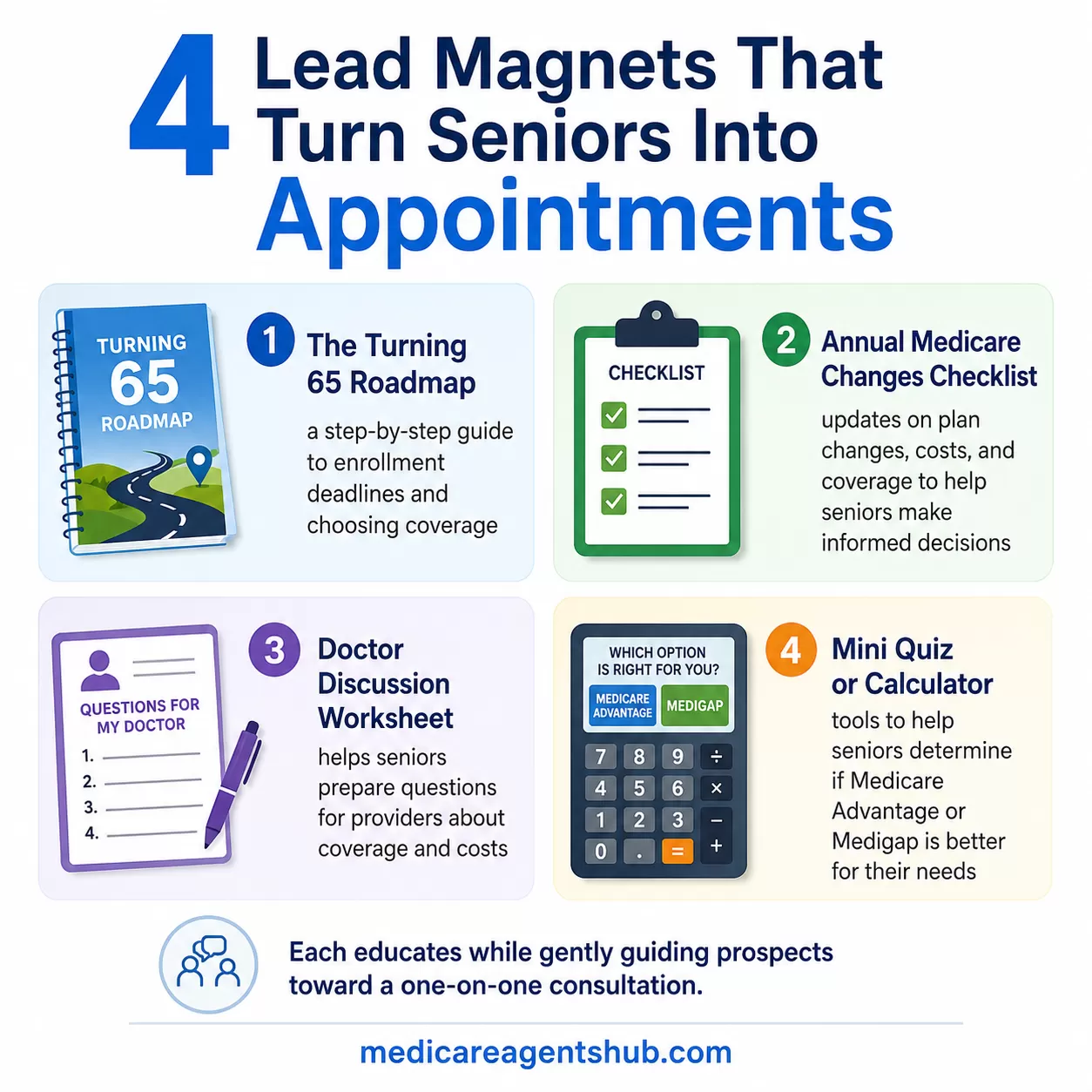
The Turning 65 Roadmap: A step-by-step guide to enrollment deadlines and choosing coverage. Pair it with the official Medicare.gov getting-started resources so seniors know where to verify what you cover.
- A simple timeline of the 7-month Initial Enrollment Period (3 months before the 65th birthday month, the birthday month, and 3 months after).
- A short note on when it's OK to delay Part B (like coverage from a current employer) and when waiting triggers a late penalty.
-
Annual Medicare Changes Checklist: Updates on plan changes, costs, and coverage so seniors know what's different before they pick a plan.
- The Annual Enrollment Period dates (October 15 to December 7) and a reminder to read the Annual Notice of Change that arrives by September 30.
- Blank lines for this year's Part B premium and deductible, the plan's premium, and drug costs, so they can compare against last year.
-
Doctor Discussion Worksheet: Helps seniors prepare questions for providers about coverage and costs.
- A spot for each doctor, specialist, and preferred pharmacy, plus a list of current prescriptions with dosages.
- Ready-made questions like "Do you accept Medicare assignment?" and "Which plans are you in network with next year?"
-
Mini Quiz or Calculator: Tools to help seniors determine if Medicare Advantage or Medigap is better for their needs.
- 5 to 8 plain-language questions about travel, doctors they won't give up, and how they'd rather pay (steady premiums or costs when they use care).
- End with "here's what to ask about" and an invite to talk it through, not a plan recommendation.
Each of these examples educates while gently guiding prospects toward scheduling a one-on-one consultation with an agent.
Using Landing Pages, Email, and Social Media to Capture Leads
Landing pages, social media posts, and email campaigns can help distribute your lead magnet and capture contact information. Remember, the goal is to establish trust. Follow up with helpful tips and reminders, keeping your communication educational and compliant.
A simple setup that works:
- One landing page per magnet. Keep the form short (name, email or phone, ZIP code) and put the "a licensed agent may contact you" line right above the button. Send people straight to the download on the thank-you page so they get what they asked for in 2 seconds.
- An autoresponder that delivers, then teaches. The first email sends the PDF. The next 3 or 4, spaced about a week apart, each cover one tip and end with a low-key "want to go over this together?" link to your calendar. Only email people who opted in.
- Social posts that show the goods. Post a screenshot of one page of the checklist with a link to the landing page. Local Facebook community groups can work too, if the admins allow it.
- Paper copies. Bring printed versions to educational events and leave a stack with your local library or senior center (ask first). At educational events, any sign-in sheet has to be clearly marked optional.
- Timing. The Turning 65 Roadmap works year-round. Push the Annual Changes Checklist in September, when the Annual Notice of Change hits mailboxes and people start asking questions.
The handoff from download to appointment is where most of these leads get lost, so watch out for the follow-up mistakes that cost agents clients.
Staying Compliant With CMS Marketing Rules
Lead magnets aimed at Medicare-eligible seniors still fall under the CMS Medicare Communications and Marketing Guidelines. Keep the educational content plan-neutral, avoid promising specific benefits, and make sure any opt-in form clearly discloses that a licensed agent may contact the prospect. When in doubt, check the current MMG before you print or publish.
A download form is not a Scope of Appointment. If a lead turns into a sales appointment, the SOA still has to be documented before that appointment under 42 CFR 422.2264. Under the CY2027 Medicare Advantage and Part D final rule, starting with 2027 marketing on October 1, 2026, the old 48-hour waiting period is gone, but the SOA itself isn't. And if you work as a third-party marketing organization, the TPMO disclaimer has to be said before you discuss any benefits.
Getting Free Medicare Leads From Medicare Agents Hub
One resource agents can use is Medicare Agents Hub, a platform that connects agents with both new and current beneficiaries actively seeking guidance. By creating a profile and offering educational resources, agents can generate leads without buying expensive lists. It is particularly useful for agents looking for clients who prefer digital engagement, providing a steady stream of prospects that are already interested in learning more about Medicare. From May 2025 through April 2026, the platform sent over 73,000 leads to listed agents.
Using a platform like Medicare Agents Hub allows agents to complement their own lead magnets with an additional source of prospects. It can also serve as a trusted channel to position yourself as a local expert and build credibility among seniors who might be hesitant to engage through other marketing channels.
This article is published by Medicare Agents Hub, an independent directory and marketing platform for licensed Medicare agents.
Making the Magnets Happen
Lead magnets do more than gather emails. They build trust, educate seniors, and position you as a knowledgeable guide. The best lead magnets are simple, relevant, and accessible. Coupled with free lead sources like Medicare Agents Hub, agents can create a reliable system for generating new appointments while providing real value to their clients.
By offering solutions rather than selling immediately, you create a long-term pipeline of prospects who trust you and are ready to schedule appointments when the time comes.